
3D-ruumimõõtmine iPhone'iga. Käige läbi üks kord, mõõda kõike.
Käige läbi toast korra ja Skava loob kaameratoest tekstuuriga, pööratava 3D-mudeli. Sa näed otsetõenäosuselt m2-d skaneerimise ajal. Seejärel puuduta mis tahes kaht punkti, et mõõta seinte laiadust, ukse kõrgust või vahemaad ühenduste vahel. Laserit pole vaja esmase hinnapakkumise või materjalide hindamise jaoks.
Eelistate arvutit? Ava veebirakendus – sama andmed, sama konto.
Mida 3D-ruumiskaneerimine ehitusplatsil sinule teeb.
Eraldi skaneerimisrakendus pole. Andmed ei ole lahus. Kõik on ühes projektis.
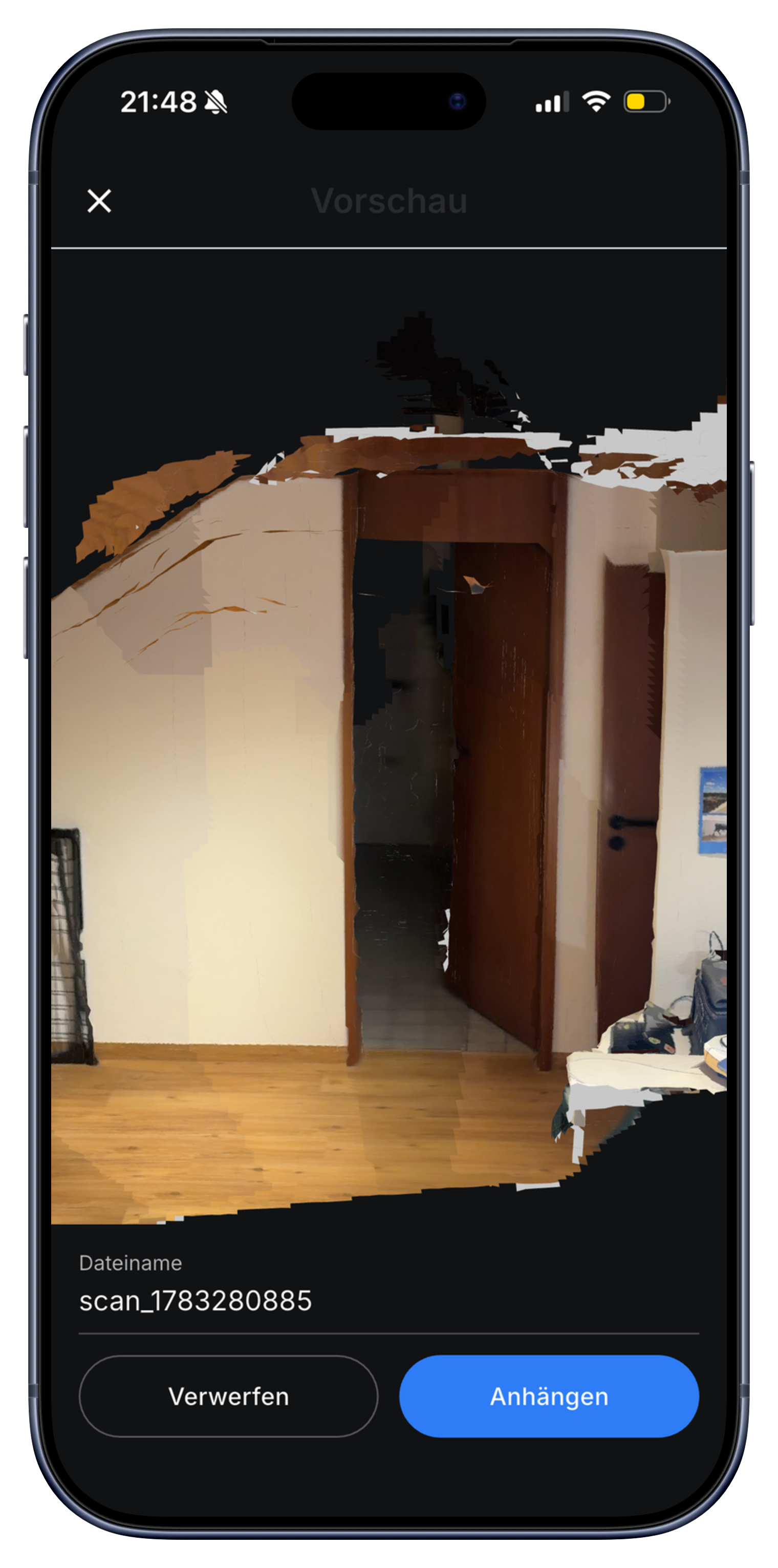
Scanneeri ruum ühe käiguga. Elupind kuvatakse ekraanile.
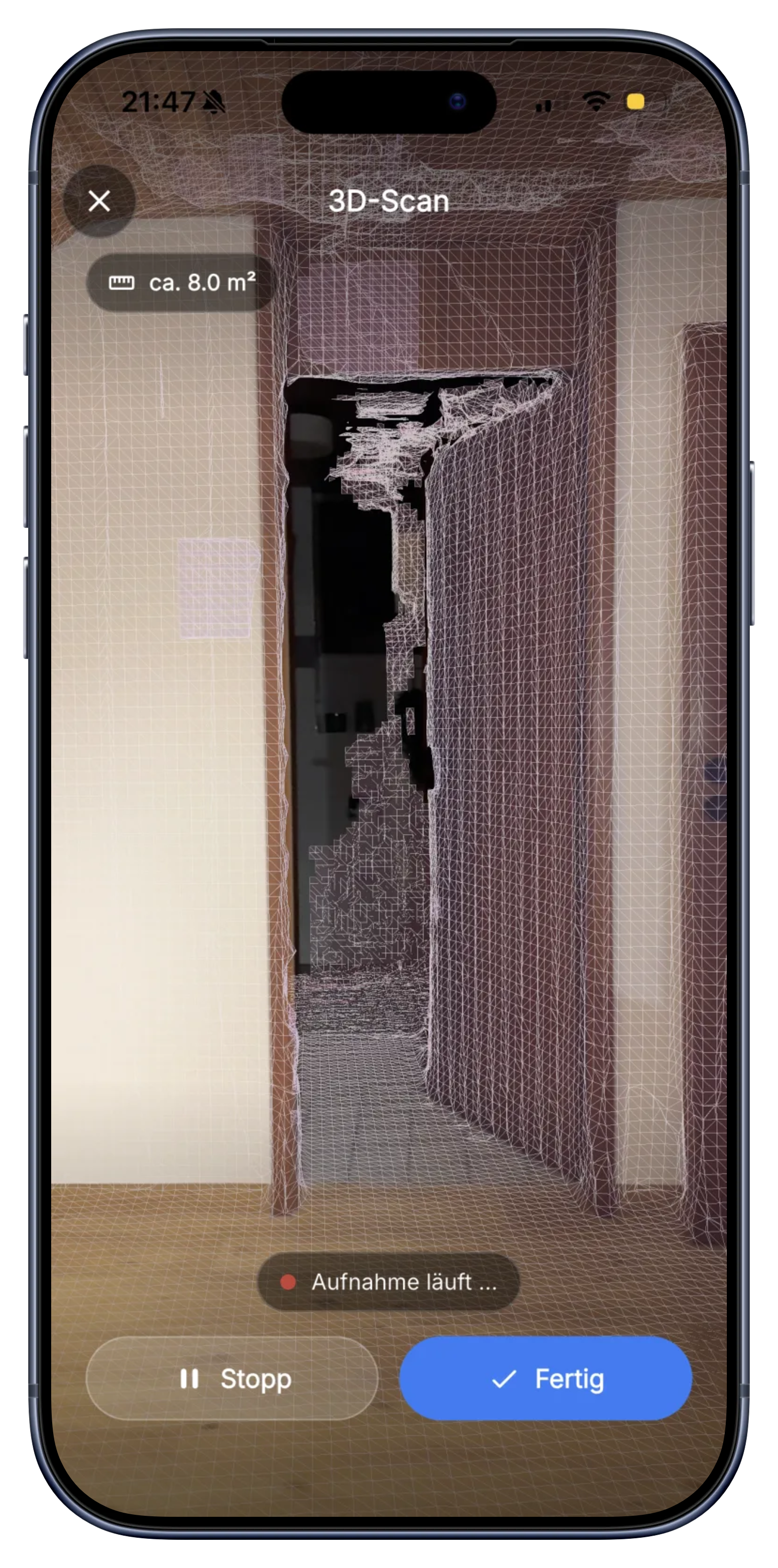
Ava skaneering, liigu aeglaselt läbi toa, tehtud. Skava loob reaalajas liikuva võrgustiku pindadele ja näitab ligikaudset põrandapinda m2. Ei vaja seadistust, ei ole vaja märgistusi asetada.
- Loob elavat võrgumalli samal ajal, kui liigute.
- Põrandapind kuvatakse m2-s reaalajas.
- Toetab iPhone Pro mudeleid, millel on LiDAR-sensor (iPhone 12 Pro ja uuemad).
Puuduta kaht punkti mõõtmiseks. Tagasi ei pea tulema.
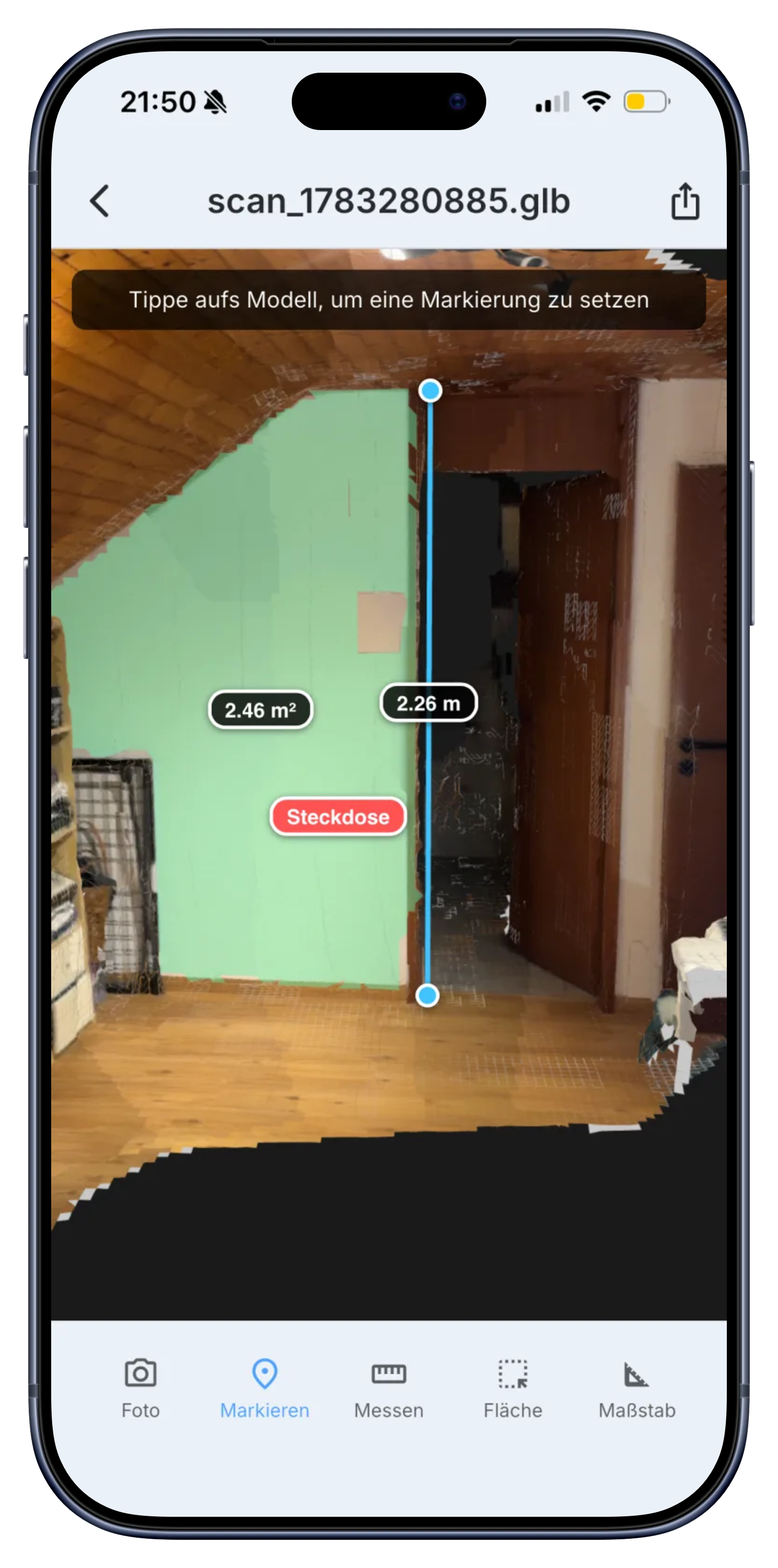
Kui skaneering on salvestatud, saad 3D-mudelis kahe punkti vahelise kauguse näha. Seina laius, ukse kõrgus, pistikupesade või torude vaheline kaugus. Ligikaudne, mitte millimeeter-täpne, aga piisav hinnapakkumiseks, ilma tagasi sõitmata.
- Seina laius, ukse kõrgus, ühenduste vahe.
- Puuduta kahte punkti mudelis, kaugus ilmub.
- Auslik kahemõõtmeline mõõtmine, ei asenda laserit.
Vaata ühendusi ja pistikuid. Säilivad otse projektis.
Tekstuuriga mudel näitab, kus asuvad pistikupesad, torud, lülitid ja ühendused. Saate esemeid otse mudelil märgistada. Skaneering asub projektikataloogis koos häälmemo, ülesannete ja arvega. Ei ole eraldiseisvat rakendust ega eraldi kontot.
- Märgistage pistikupesad, torud ja ühendused mudelis.
- Salvestatud koos märkmetega, ülesannete ja arvetega.
- Me ei ole eksportimine vajalik: meeskond näeb seda otsekohe.
Skaneerisin vannituba, saatsin mudeli kontorisse ja nad tellisid plaadid samal pärastlõunal. Mõõdulinti ei tarvita, lisareisi ei pea tegema.
Kattepind, beetaversioonist
Saglikku küsimusi 3D-ruumimõõtmise kohta.
Kui täpne on 3D-ruumiskaneering?
Skaneering on ligikaudne mõõtmine, mitte millimeeter-täpse laser. See sobib esmase hinnangu, materjalide koguse määramise või töökoha dokumentatsiooni jaoks. Lõplike konstruktsioonijooniste jaoks on ikkagi vaja täpseid seadmeid.
Millised telefonid toetavad 3D-ruumiskaneeringut?
Praegu töötab see iPhone'i ja iPad Pro mudelitel, millel on LiDAR-sensor (iPhone 12 Pro ja uuemad). Skava kasutab LiDAR-sügavussensorit skaneerimiseks, seega pole see saadaval Android-seadmetes ega iPhone'is, millel LiDAR-sensorit pole. Seadmetel, millel pole LiDAR-sensorit, ei kuvata skaneerimisnuppu.
Kas see on Polycam alternatiiv?
Jah, 3D-skaneerimise osas. Peamine erinevus: rakenduses Skava elab skaneering otse sinu projektis, koos häälesõnumite, ülesannete ja arvega. Sa ei vaheta rakendusi.
Millised seadmed toetavad 3D-skaneerimist?
iPhone'id, millel on LiDAR-sensor, ehk iPhone 12 Pro ja sellest hilisemad Pro-mudelid ning iPad Pro mudelid. LiDAR-i puudumisel toimib kõik muu tavapäraselt, ainult ruumi skaneerimine ei tööta.
Kui täpne on skannimine pakkumise koostamiseks?
Piisavalt täpne esialgseks arvutuseks, kuid mitte tootmiseks. Küsimusele, mitu ruutmeetrit ruumil on, sobib see hästi; kohandatud köögifrondi puhul mõõdab uuesti.
Kas saan skannimist järelmõõta?
Jah, mis tahes kaugus lõplikus mudelis, isegi nädalaid hiljem kontorist. See säästab teise sõidu, kui pakkumisel puudub mõõt.
Laadige rakendus alla. Skaneerige esimene ruum juba täna.
Vaba ligipääs. Kreditkaart ei ole nõutav. Müügikõned puuduvad.
Lisaks: Mõõtmine häälega · Elektrikud · Remontijad