
Skava كبديل لـ Polycam.
Polycam هو ماسح ضوئي ثلاثي الأبعاد قوي. Skava تأخذ زاوية مختلفة: قم بمسح الغرفة مرة واحدة، ويصل النموذج مباشرةً إلى مشروعك، بجانب المهام والمحادثة الجماعية والفاتورة. مشي واحد، تطبيق واحد، لا عزلة.
تفضّل بالعمل من مكتبك؟ افتح تطبيق الويب وشاهد النموذج ثلاثي الأبعاد في متصفحك.
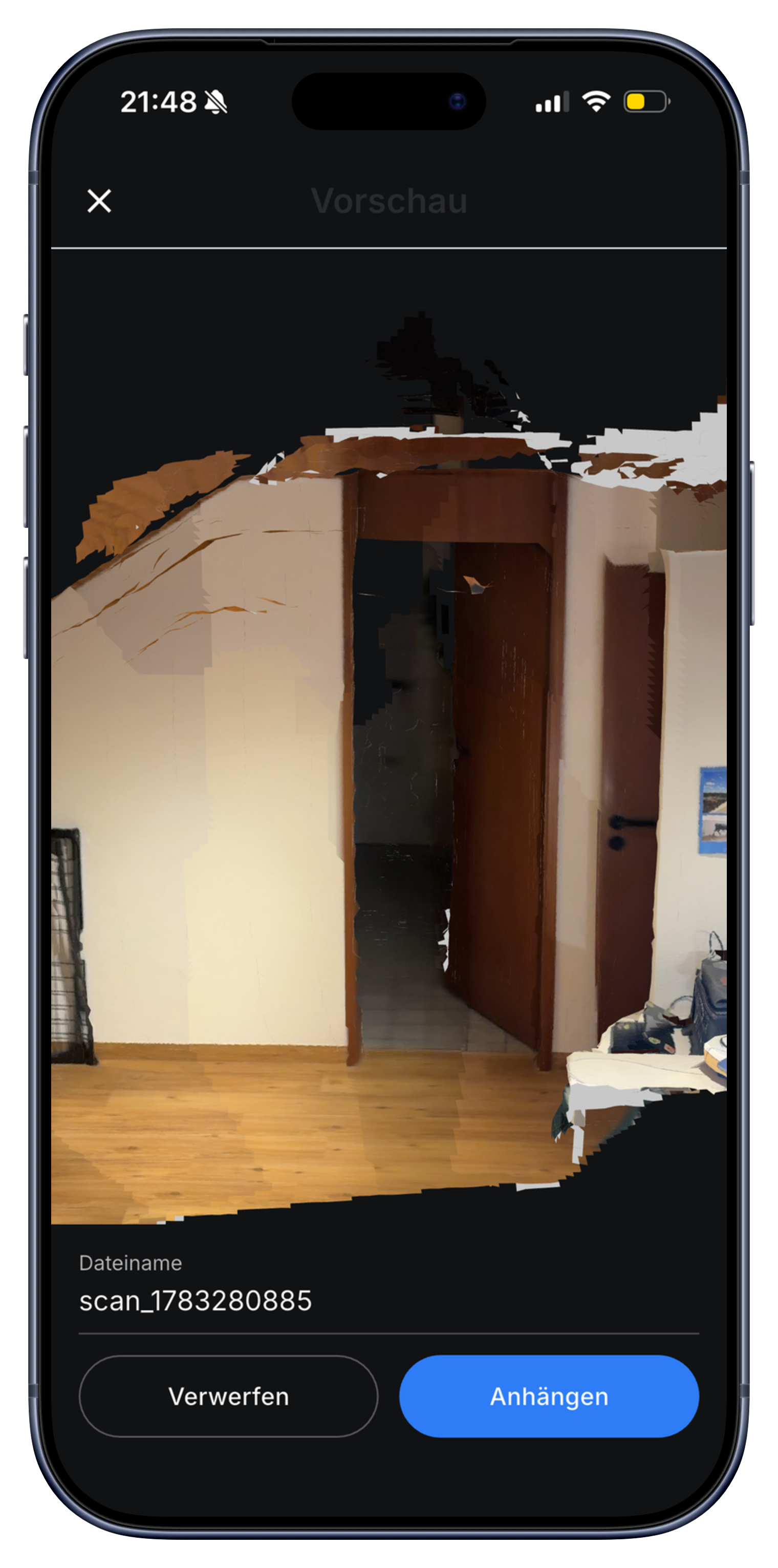
Polycam ضد Skava: ما يهم للحرفيين.
إذا كنت تقارن بين Polycam و Skava، فإن السؤال الرئيسي هو ما الذي تحتاجه للمسح. Polycam هو ماسح مخصص مع مجموعة واسعة من أوضاع الالتقاط وتنسيقات التصدير. Skava هو تطبيق سير عمل للحرفيين يتضمن قياسات ثلاثية الأبعاد للغرف: مجرد جولة واحدة في الغرفة، وقراءة مباشرة للمتر المربع، والقياس بنقرة، ونقاط اتصال مُعلّمة، والنتيجة النهائية موجودة داخل ملف المشروع إلى جانب الدردشة مع فريقك والفاتورة.
| الزاوية | بولي كام | Skava |
|---|---|---|
| تكامل سير العمل | تطبيق مسح مستقل، تصدير إلى أدوات أخرى | مسح البيانات ثلاثية الأبعاد داخل مشروعك، بجانب المهام والمحادثة والفاتورة |
| قِس بعد المسح | نعم، اضغط للقياس في نموذج Polycam | نعم، انقر على نقطتين لقياس أي مسافة في النموذج ثلاثي الأبعاد |
| أوضاع الالتقاط | LiDAR، التصوير الضوئي، 360 درجة، NeRF والمزيد | مسح LiDAR للغرفة (فحص مستمر واحد، قراءة حية للمسافة) |
| تنسيقات التصدير | العديد (OBJ، FBX، USDZ، RoomPlan، وغيرها) | يبقى النموذج في المشروع (عارض GLB); التركيز على سير العمل، وليس التصدير الخام |
| مميزات المهنة | غير مُضمَّن (المهام، الفاتورة، الدردشة الجماعية منفصلة) | مهام، ومذكرات صوتية، ومحادثة فريق، والفواتير، كل ذلك في مشروع واحد |
| السعر | خطة مجانية، وخطط مدفوعة لميزات متقدمة | ابدأ مجانًا، لا حاجة لبطاقة ائتمان |
| موقع البيانات | خوادم تقع في الولايات المتحدة الأمريكية | خوادم في الاتحاد الأوروبي، متوافقة مع اللائحة العامة لحماية البيانات |
المقارنة تعكس معلومات متاحة للعامة ومجموعة ميزات Skava الخاصة. قد يتغير عرض Polycam؛ تحقق من موقعه على الويب للحصول على أحدث قائمة بالميزات.
الأسئلة الشائعة.
هل مسح Skava ثلاثي الأبعاد دقيق مثل Polycam؟
فحص الغرفة ثلاثي الأبعاد من Skava يوفر تقريبًا جيدًا للعمل: مفيد لقياس الغرف، وتوثيق نقاط الاتصال، ومشاركة التصميم مع فريقك. إنه ليس قياسًا ليزريًا بدقة المليمتر. بالنسبة للمهام مثل القياس التقريبي وتوثيق الموقع، فإنه يغطي كل ما تحتاجه. للحصول على دقة أقل من المليمتر، استخدم أداة ليزر مخصصة.
ماذا يحدث للنموذج ثلاثي الأبعاد بعد المسح؟
يبقى النموذج داخل مشروع Skava الخاص بك. يمكن لفريقك بأكمله فتحه، وتدويره في المتصفح أو التطبيق، والنقر على نقطتين لقياس المسافة، ورؤية نقاط الاتصال المميزة. كل هذا بجوار دردشة المشروع والمهام والمذكرات الصوتية والفاتورة.
كم تكلفة Skava؟
المحادثات والمشاريع والمهام وإنشاء الفواتير مجانية. نتقاضى 1٪ فقط من مبلغ الدفعة عندما يتم دفع فاتورة تم إنشاؤها في Skava عبر Skava.
هل Skava مجانية مثل النسخة المجانية من Polycam؟
البداية مجانية، بما في ذلك مسح الغرفة، دون الحاجة إلى بطاقة ائتمان أو فترة تجريبية تنتهي صلاحيتها. لمعرفة كيفية تسعير مزودي الخدمة الآخرين حالياً، تواصل معهم مباشرة، لأن أسعارهم تتغير بشكل متكرر أكثر من صفحات مثل هذه.
هل توجد بديلة مفتوحة المصدر لـ Polycam؟
Skava ليست برنامجًا مفتوح المصدر، على الرغم من أن النواة ثلاثية الأبعاد في المتصفح تعمل على three.js وتعود بيانات المسح إليك. إذا كنت بحاجة حقيقية إلى مفتوح المصدر، فإن الطريق يمر عبر مكتبات LiDAR وجهدك الخاص؛ أما إذا كنت بحاجة إلى أداة للأعمال، فإن هذه المقارنة غير صحيحة.
ماذا يمكن لـ Skava فعله ولا يستطيع الماسح الضوئي البحت فعله؟
يتم تخزين المسح في المهمة بدلاً من مكتبة المسح. بجانب نموذج الغرفة، توجد المحادثة والمهام والمواد وساعات العمل والفاتورة لنفس المشروع، وهذه الخطوة هي بالضبط ما تفتقده أداة القياس فقط.
جرب Skava. قم بمسح غرفتك الأولى في أقل من دقيقة.
وصول مجاني. لا توجد بطاقة ائتمان. لا مكالمات مبيعات.
المزيد من Skava: قياسات الغرف ثلاثية الأبعاد · تطبيق القياس · للفنيين الكهربائيين