
Skava kā Polycam alternatīva.
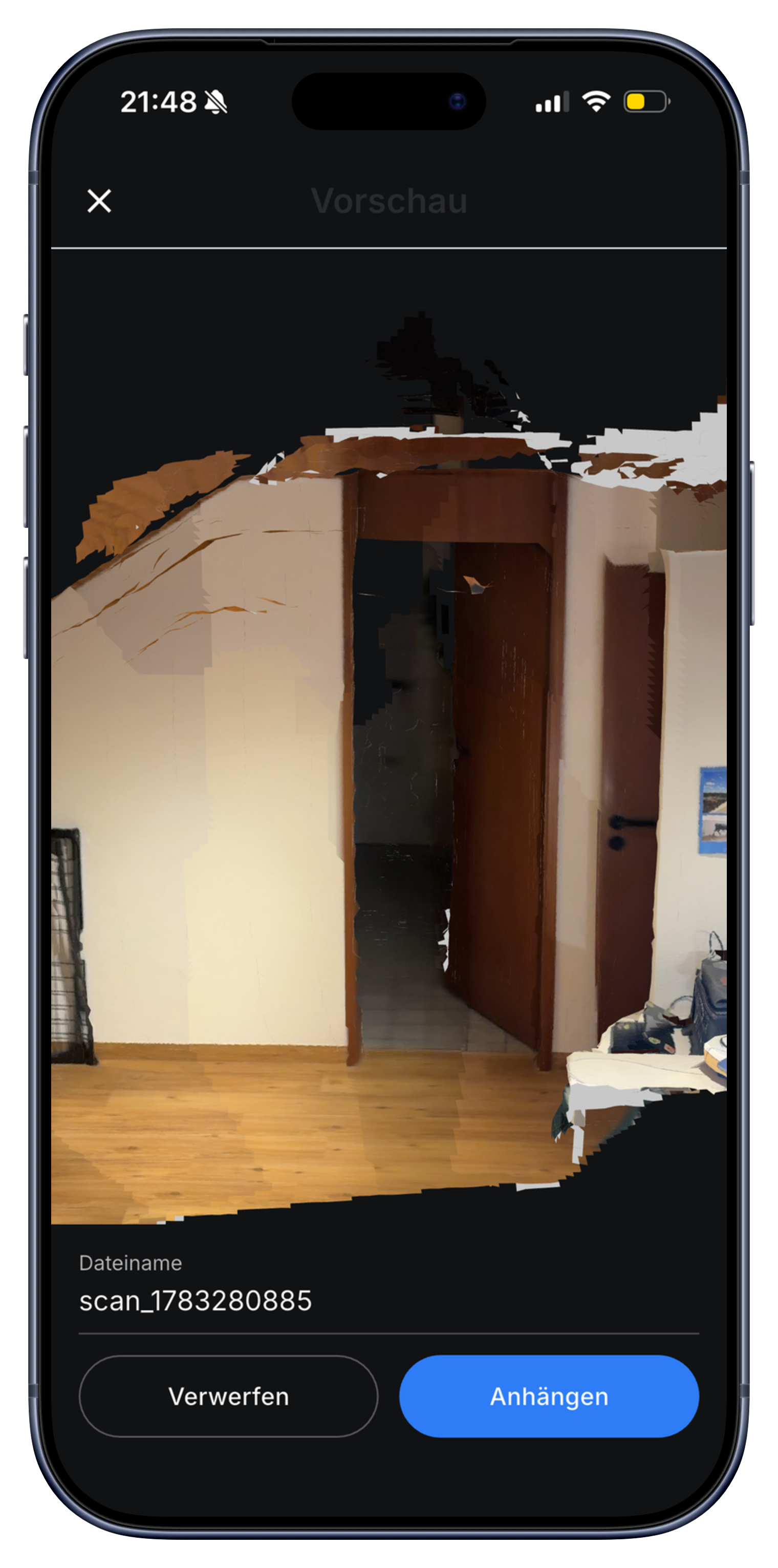
Polycam ir spēcīgs, specializēts 3D skeneris. Skava pieejas tam no cita leņķa: ieskenējiet telpu reizi, un modelis nonāk tieši jūsu projektā, blakus darbiem, komandas tērzēšanai un rēķinam. Viena staigāšana, viena lietotne, bez izolētas platformas.
Dod priekšroku strādāt pie galda? Atvērt tīmekļa lietotni un apskatīt 3D modeli pārlūkprogrammā.
Polycam vs. Skava: kas ir svarīgi meistariem.
Ja salīdzat Polycam un Skava, galvenais jautājums ir, kamēr vajadzīgs skenējums. Polycam ir paredzēts skeneris ar plašu režīmu un eksportu formātu klāstu. Skava ir uzņēmējdarbības darbu lietotne, kas ietver 3D telpu mērīšanu: viena pastaiga pa telpu, tiešraudi kvadrātmetru nolasījums, pieskareiens, lai mērītu, atzīmēti savienojuma punkti, un viss rezultāts atrodas projekta failā kopā ar komandas tērzēšanu un rēķinu.
| Aspects | Polycam | Skava |
|---|---|---|
| Darba plūsmas integrācija | Patstāvīgs skenēšanas lietotnes rīks, eksportē uz citām iekārtām | Skenējiet dzīvās situācijas savā projektā, blakus darbiem, tērzēšanai un rēķiniem. |
| Izmērīt pēc skenēšanas | Jā, pieskarieties, lai mērītu Polycam modelī | Jā, pieskarieties diviem punktiem, lai mērītu jebkuru attālumu 3D modelī. |
| Uzņemšanas režīmi | LiDAR, fotogrammetrija, 360, NeRF un vēl daudz ko citu | LiDAR telpas apsekošana (viena nepārtraukta skenēšana, tiešraida mērīšana) |
| Eksportu formāti | Daudzi (OBJ, FBX, USDZ, RoomPlan un citi) | Modeles paliek projektā (GLB skatītājā); darba gaita, ne eksports. |
| Amata iespējas | Nav iekļauts (pārvades, rēķini, komandas tērzēšana ir atsevišķi) | Darbnes, balses atsauksmes, komandas tērzēšana un rēķini – viss vienā projektā |
| Cena | Bezmaksas plāns, maksas plāni ar papildfunkcijām | Bez maksas sākt, nav nepieciešams kredītkarti |
| Datu atrašanās vieta | ASV serveri | Serveri ES, atbilstoši GDPR |
Salīdzinājums balstās uz publiski pieejamo informāciju un Skava funkciju kopumu. Polycam piedāvājums var mainīties; pārbaudiet viņu vietni, lai iegūtu pašreizējo funkciju sarakstu.
Bieži uzdotie jautājumi.
Vai Skava 3D skenēšana ir tikpat precīza kā Polycam?
Skava 3D telpu skenēšana nodrošina labu darba aproksimāciju: noderīga telpu mērīšanai, savienojumu vietu dokumentēšanai un plāna dalīšanai ar savu komandu. Tas nav milimetru precizitātes lāzerizmeklējums. Darbiem, piemēram, aptuvenu mērīšanu un būvplanta dokumentāciju, tā aptver visu, kas jums nepieciešams. Submilimetru precizitātei izmantojiet īpašu lāzerinstrumentu.
Kas notiek ar 3D modeli pēc skenēšanas?
Modelis paliek Jūsu Skava projektā. Visiem komandas locekļiem ir iespēja to atvērt, pagriezt pārlūkprogrammā vai lietotnē, piespiest divus punktus, lai mērītu attālumu, un redzēt atzīmētos savienojuma punktus. Tas viss atrodas blakus projekta tērzēšanai, darbiem, balsu ziņojumiem un rēķiniem.
Cik maksā Skava?
Tērzēšana, projekti, uzdevumi un rēķinu izveidošana ir bezmaksas. Skava iekasē 1% maksājuma summas tikai tad, kad rēķins, kas izveidots Skava, tiek apmaksāts, izmantojot Skava.
Vai Skava ir bezmaksas, tāpat kā Polycam bezmaksas pakalpojums?
Sākums ir bez maksas, ieskaitot telpu skenēšanu, bez kredītkartes un bez termiņa noteikta izmēģinājuma perioda. Lai uzzinātu, kā citi pakalpojumu sniedzēji šobrīd nosaka cenas, sazinieties ar viņiem tieši, jo tas mainās biežāk nekā šādas lapas.
Vai Polycam ir atvērtā koda alternatīva?
Skava nav atvērtā koda programmatūra, lai gan 3D kodols pārlūkā darbojas uz three.js bāzes un skenēšanas dati pieder jums. Ja jums patiešām nepieciešams atvērtais kods, ceļš ved caur LiDAR bibliotēkām un jūsu pašu pūlēm; ja jums nepieciešams rīks biznesam, tad tāda salīdzināšana ir nepareiza.
Ko Skava spēj, ko nevar tīrais skeneris?
Skenēšana nonāk darbā, nevis skenēšanas bibliotēkā. Blakus telpas modelim atrodas čats, uzdevumi, materiāli, darba stundas un rēķins tam pašam projektam, un tieši šo soli trūkst instrumentiem, kas tikai mēra.
Izmēģini Skava. Iesken savu pirmo telpu mazākā par minūti.
Bez maksas. Bez kredītkartes. Bez reklāmas zvaniem.
Vairāk no Skava: 3D telpu mērīšana · Mērīšanas lietotne · Elektroneiriem