
Take the measure by voice : not with a tape and a notebook.
Stop measuring on site, then re-typing every number into the office computer. You just say the areas, lengths and counts out loud : Skava recognizes the m², running meters and pieces and writes them straight into the project. On the spot, hands free.
Prefer using a computer? Open web app : same data, same account.
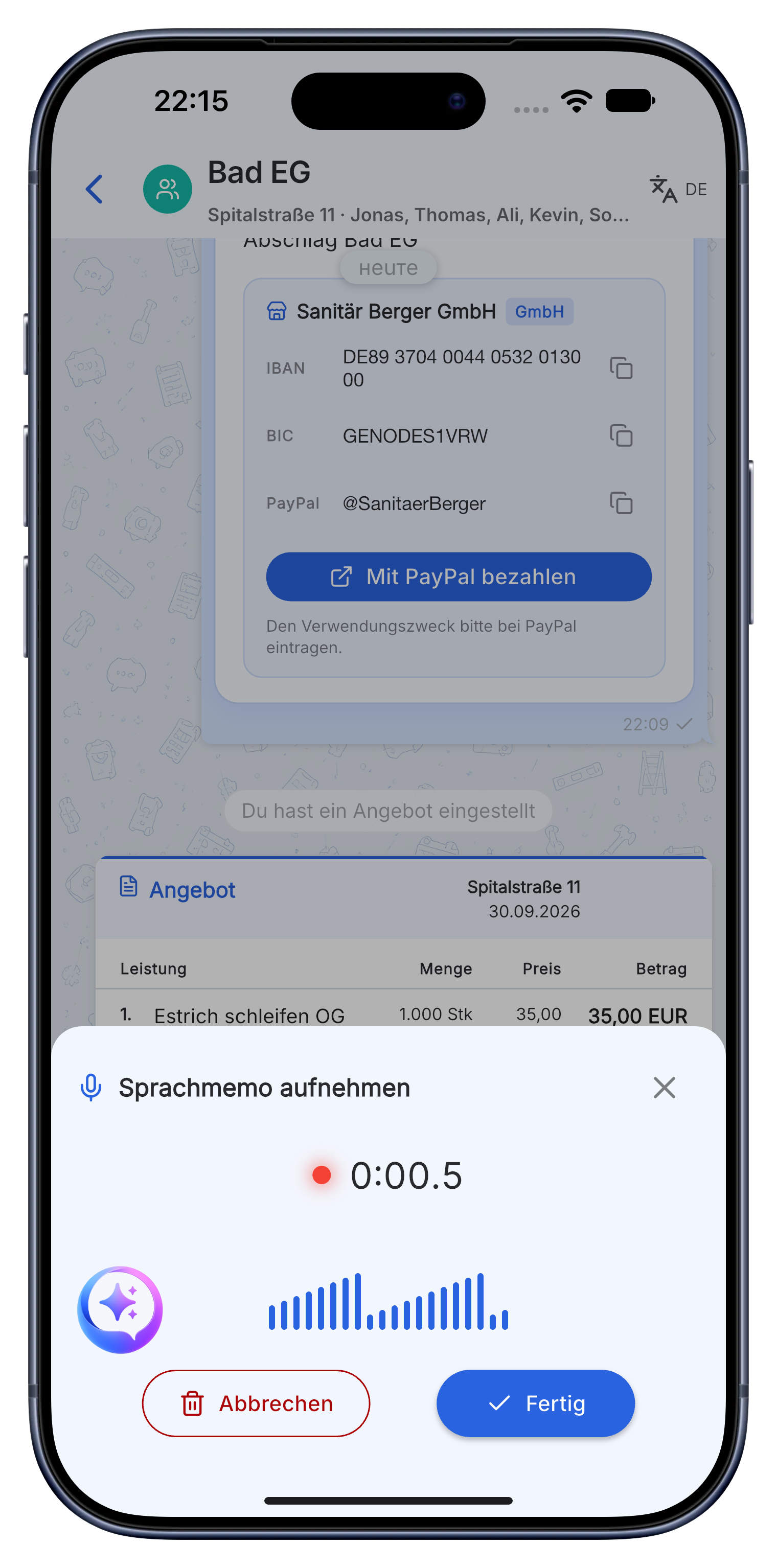
What Skava solves for taking measurements.
Not the next bloated tool. What's missing between the tape measure and the office desk.
Speak your measurements : don't scribble them down.
Right on the job you say the numbers out loud: "Living room 4.20 by 3.60, ceiling same area, skirting board all the way round." Skava recognizes areas, lengths and counts, calculates the m² and drops it into the right project.
- Recognizes m², running meters and piece counts automatically.
- Works for every trade and even offline.
- Lands in the correct project on its own.
Check the captured items, don't re-type them.
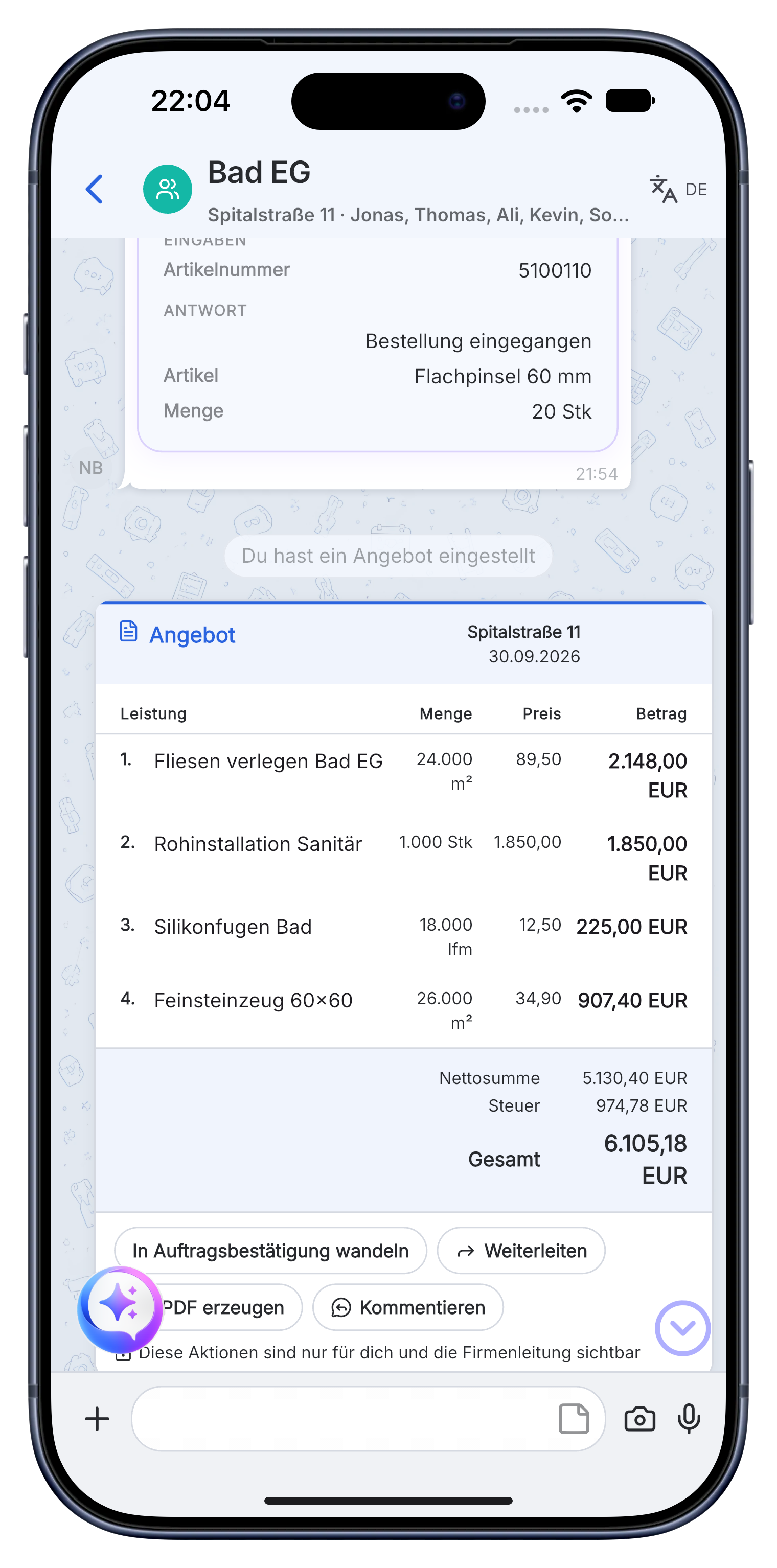
Skava turns your spoken numbers into a clean list of measured items : you glance over the m² and lengths and correct anything, instead of keying everything in back at the office.
- Each item with quantity, unit (m², lfm, pcs) and room.
- Accept, edit or delete individual measurements.
- Nothing gets lost between site and office.
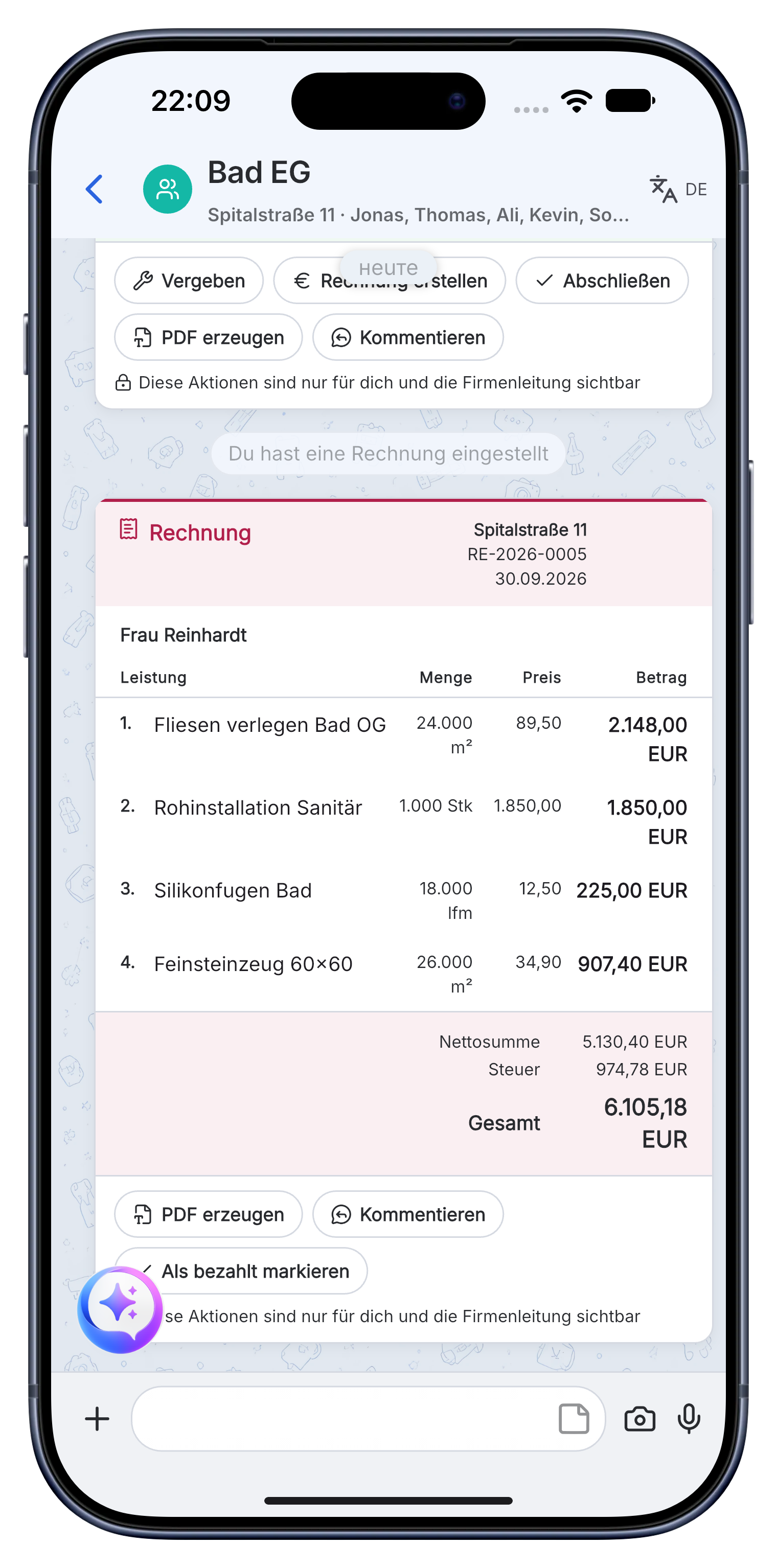
From measurement straight to tasks and invoice.
Your measured quantities aren't stuck in a notebook : they turn into tasks for the crew and flow straight into a quote or invoice with your logo. One capture, used everywhere.
- Turn measured items into tasks for the team.
- Reuse quantities directly in quote and invoice.
- Export as a PDF, for the customer or your accountant.
"I used to fill a whole notebook on site and copy it all out in the evening. Now I just say the meters and they're already in the project."
: Site manager, from beta
Frequently asked questions : taking measurements.
How do I take a measurement by voice on the construction site?
You simply say the measurements out loud : for example "living room 4.20 by 3.60". Skava recognizes areas, lengths and counts, calculates the m² and writes everything straight into the project. No tape-plus-notebook, no re-typing in the office.
Can Skava calculate square meters automatically?
Yes. Say the two dimensions and Skava calculates the area for you. It also captures running meters (lfm) and piece counts, and adds up items with the same measurement.
How much does the measurement app cost?
Chat, projects, tasks and creating invoices are free. Only when an invoice created in Skava is paid through Skava do we charge 1% of the payment amount.
How accurate is measuring by voice?
As accurate as what you say. Skava does not measure for you, it writes along and adds up. The error it removes is the retyping in the evening, not the folding rule.
Can I measure several rooms one after another?
Yes, room by room in one walkthrough. Each room gets its own line items and the total is ready for the quote at the end.
What happens to the measurement afterwards?
It becomes a line item in the quote or invoice with no intermediate step. That is exactly where the usual process breaks down: measuring happens on site, retyping happens at the office.
Download the app. Take your first measurement by voice.
Free access. No credit card. No sales calls.
More: Painters · Electricians · Roofers · Writing invoices