
From fault report to paid invoice: plumbing and HVAC software that fits the job site.
A customer reports a fault or requests an installation. Set the appointment, assign the technician and keep system photos, materials, tasks and service notes in project subchats. The invoice comes out of the documented work and the payment status sits next to it. Plumbing and HVAC software that works like a messenger, not like an ERP.
Prefer desktop? Open the web app
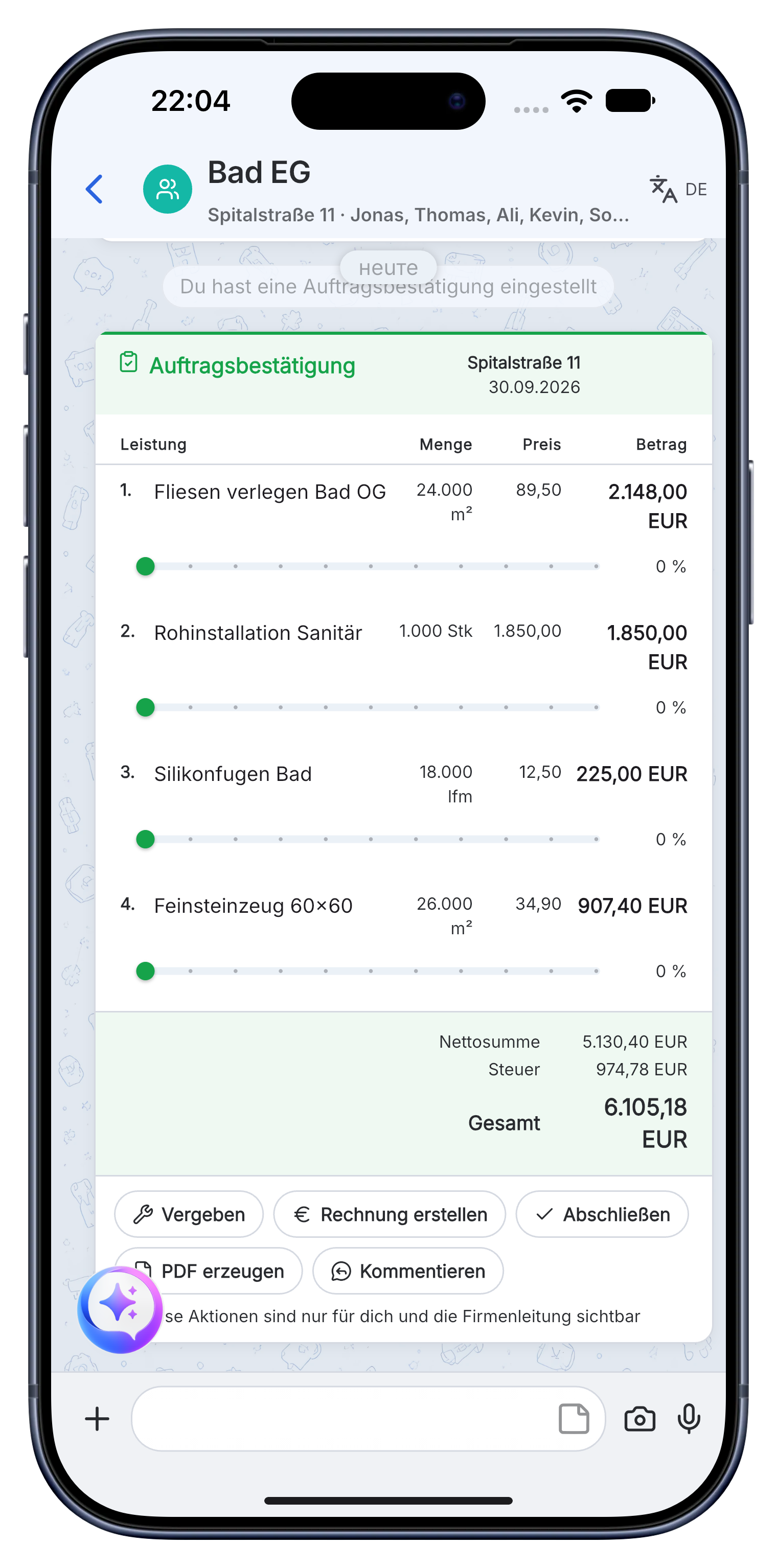
A clear plumbing and HVAC workflow from callout to payment.
Skava is a simple messenger for the team. Chat, photos, subchats, tasks, documents and billing stay connected without the setup of a heavy ERP.
Turn the first customer message into a scheduled job.
The fault description, initial photos and customer details go into the project chat. Assign an appointment and open separate subchats for service or installation.
- Keep fault reports and installation requests separate and searchable.
- Assign the right technician, time and customer contact.
- Share system data and access notes before the visit.
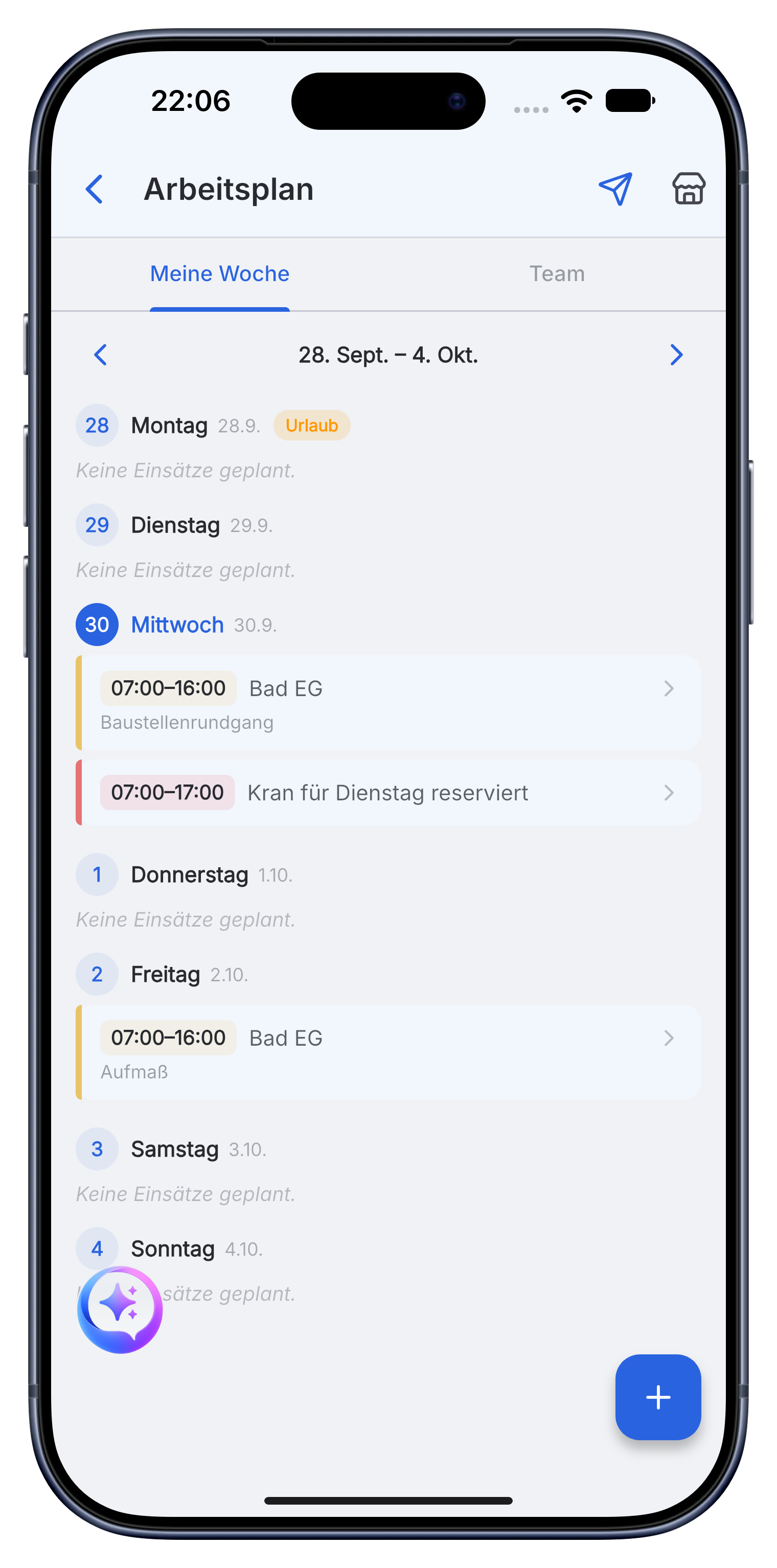
Document the system while the technician is on site.
Photos of the unit, nameplates, readings, installed parts and work notes stay with the job. Tasks show what remains before handover.
- Record pipes, fittings, radiators and equipment with quantities.
- Keep maintenance documents and proof available for the next visit.
- Clarify questions with the office in the project subchat.
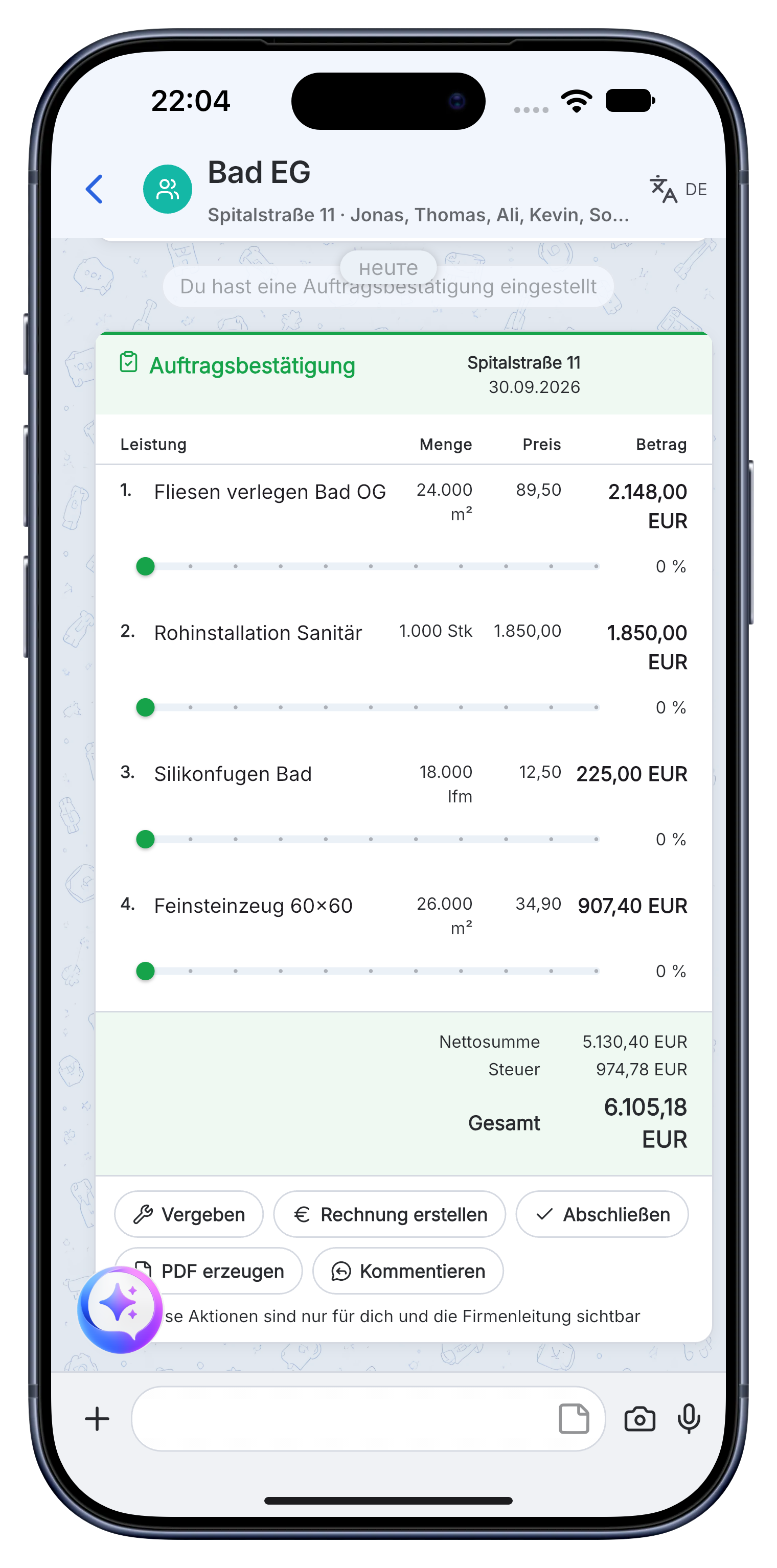
Invoice service and installation work from the same project.
Use documented labor and material for the invoice. Send the PDF to the customer and see whether payment is still open.
- Create invoices with company details, logo, prices and VAT.
- Export the document as a PDF for the customer or accounting.
- Keep handover, invoice and payment status traceable.
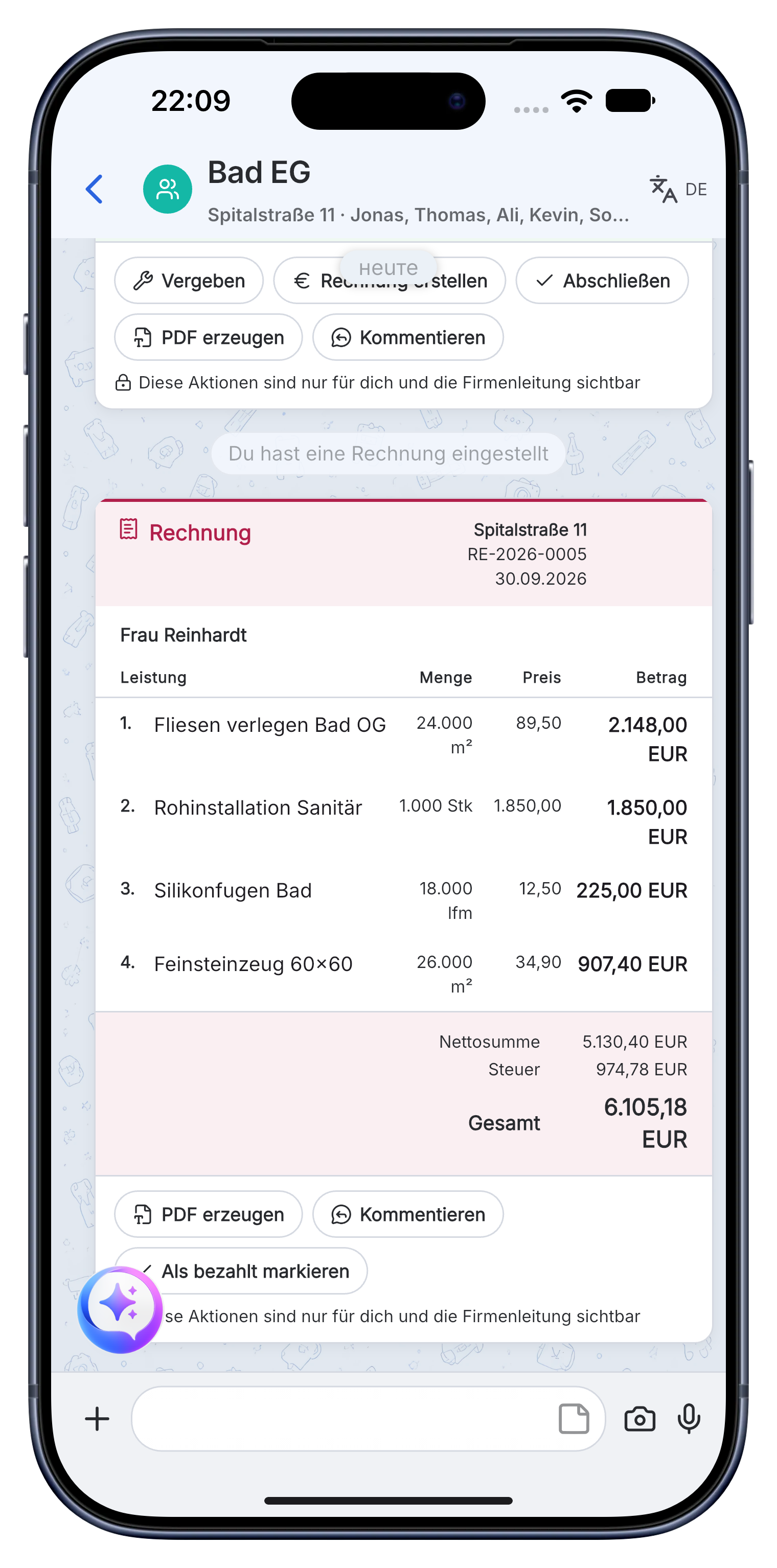
The fault report, appointment, unit photos, spare parts, service notes and invoice remain in one project for the next maintenance visit.
A practical workflow in Skava.
Software or app? For plumbing and HVAC businesses the difference matters.
Both words describe the same job: keeping quotes, appointments, materials, documentation and invoices in one place. What differs is where the tool sits, and that decides who actually uses it.
Lives on the office computer.
Traditional trade software is installed at a desk, licensed per workstation and set up by a consultant. It can do a great deal, and it is used by the one or two people who sit in front of it.
- The technician on site has no access, so notes arrive on paper in the evening.
- Setup, training and per-seat licences before the first invoice goes out.
- A second system for photos and messages, usually WhatsApp, runs alongside it.
Runs on the phone everyone already carries.
Skava is plumbing and HVAC software that works like a messenger. Everyone in the team has it in their pocket, so the job is documented where it happens instead of being retyped later.
- Install, log in, start. No consultant, no rollout project.
- Chat, photos, appointments, materials and invoices in one history per job.
- The same data on the office computer through the web app.
What does plumbing and HVAC software cost?
Classic trade packages usually start with a four-figure setup fee, then charge per workstation and per year, plus maintenance. That is a sensible investment for a company with its own office staff. For a two-person business it is the reason the paperwork still happens on Sunday.
Skava is free to start.
Chat, projects, tasks and creating invoices are free. Only when an invoice created in Skava is paid through Skava do we charge 1% of the payment amount.
- Free access for the whole plumbing and HVAC team, not a 14 day trial.
- No per-seat licence, so the apprentice can be in there too.
- Servers in the EU, data export at any time.
Switching from WhatsApp and paper takes an afternoon.
Most plumbing and HVAC businesses do not replace an existing system when they start with Skava. They replace a WhatsApp group, a stack of notes and a spreadsheet, which means there is nothing to migrate and nothing to shut down.
How a team usually starts.
Pick one running job rather than the whole company. Create it as a project, invite the two or three people involved and run that job in Skava for a week. Everyone sees within a few days whether it saves time, and nobody has bet the business on it.
- Day one: install the app, create the company, add one live job.
- During the week: photos, appointments and hours go in on site instead of into the group chat.
- End of the week: the invoice comes out of the documented work, and you compare that to your usual Sunday.
- Only then decide whether the rest of the jobs follow.
Your existing accounting stays where it is. Skava produces the invoice and the documentation behind it; what you do with the numbers afterwards does not change.
Where Skava fits, and where a classic trade package is the better choice.
Skava is built for sanitary, heating and air conditioning businesses that run their jobs from the van rather than from a back office. That covers a lot of companies, and it deliberately does not cover everyone.
Sole traders up to teams of around 30.
If the paperwork currently happens in the evening, and jobs are coordinated through WhatsApp groups, notes and a spreadsheet, Skava replaces that whole stack with one history per job.
- Sanitary and heating service: fault reports, appointments, boiler and system photos, spare parts, maintenance history.
- Bathroom and heating installations: quote, schedule, materials, handover documentation, invoice.
- Air conditioning and ventilation: recurring maintenance with the previous visit already in the project.
- Working hours per job through voice or geofence, so they land on the invoice instead of a timesheet.
Full inventory management and accounting depth.
Skava is not an ERP and does not pretend to be one. If your business depends on the following, a classic trade package such as a full ERP suite will serve you better, and you should not switch for the sake of switching.
- Warehouse stock levels, reorder points and supplier order processing.
- Payroll accounting and a complete financial ledger in the same system.
- Your own office staff who already work productively in an established system.
Article catalogues are the exception: supplier data in DATANORM format can be imported, so material prices are available when you write the invoice.
Frequently asked questions.
What is the difference between plumbing and HVAC software and an app for the trade?
There is no functional difference any more, only a difference in where the software runs. Classic trade software is installed on an office computer and licensed per workstation. An app like Skava runs on every phone in the team, so the fault report, the photo of the boiler and the working hours are recorded on site instead of being retyped in the evening.
Is there free plumbing and HVAC software?
Chat, projects, tasks and creating invoices are free. Only when an invoice created in Skava is paid through Skava do we charge 1% of the payment amount.
Is Skava a full ERP system for plumbing and HVAC businesses?
No, and that is deliberate. Skava works like a messenger: the team chats in projects and subchats, shares photos and documents, assigns tasks and follows invoices. There is no ERP setup, no consultant and no training week. If you need full inventory management and accounting depth, a classic trade package is the better fit.
Do I need setup or training?
No. You install the app, create your company and invite your team, which takes a few minutes. Anyone who can use WhatsApp can use Skava. There is no configuration project and no consultant day to book.
How does a plumbing or HVAC service job run in Skava?
The fault report or request, appointment, service or installation, materials, documentation, invoice and payment status stay in one project. Each part of the job gets its own subchat, so the boiler photos do not get lost between scheduling messages, and the next maintenance visit starts with the full history.
Can I write invoices with Skava?
Yes. You dictate what was done on site and Skava turns the voice memo into line items with quantities and materials, which become an invoice with your logo. Payment status stays visible in the same project, so you can see what is still open without opening a second program.
Does Skava also run on the office computer?
Yes, through the web app in the browser, with the same data as on the phone. Nothing needs to be installed and nothing needs to be synchronised by hand. In practice the team works on the phone and the office works in the browser.
What does Skava cost for a plumbing and HVAC business?
Chat, projects, tasks and creating invoices are free. Only when an invoice created in Skava is paid through Skava do we charge 1% of the payment amount.
Where is my data stored?
On servers in the EU, under European data protection law. You can export your data at any time, and it is contractually excluded from training AI models.
Run your next plumbing or HVAC job with Skava.
Free to get started. No credit card. Available in the App Store and on Google Play.
More: Electrician