
From planning to paid invoice: landscaping jobs stay in one chat.
Keep plans, material quantities and customer decisions in the project chat. Use subchats and tasks for crews and assignments, then document progress with photos and service items. Acceptance, invoice and payment status remain connected. Skava is a messenger, not a heavy ERP.
Prefer desktop? Open the web app. Your projects stay in sync.
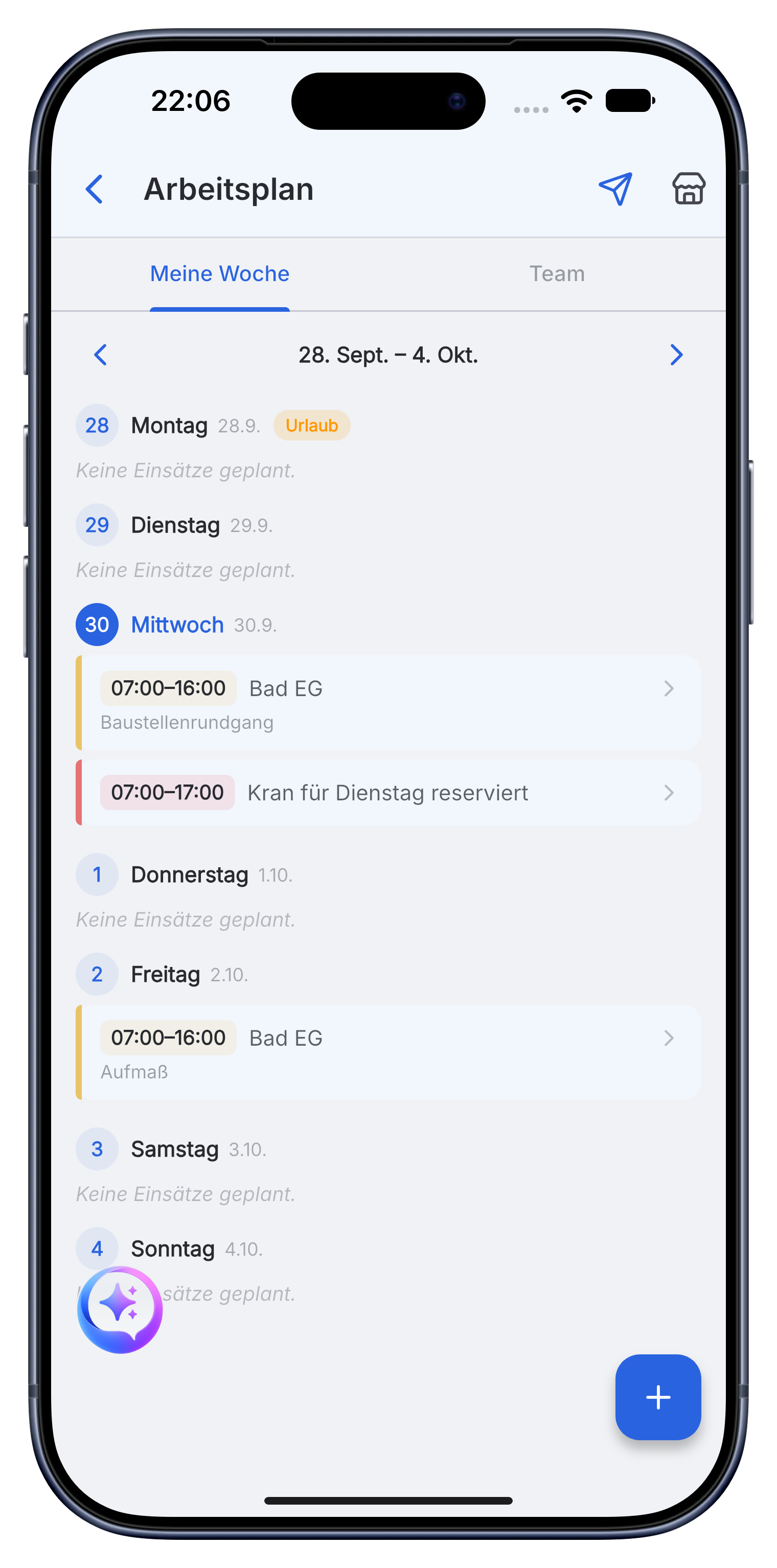
A clear landscaping workflow for site and office.
Skava is a simple messenger for the team. Chat, photos, subchats, tasks, documents and billing stay connected without the setup of a heavy ERP.
Prepare the site, quantities and crew in one project.
Plans, measurements, plant choices and material requirements go into the project chat. Tasks and subchats organize crews, machines and delivery dates.
- Record paving, edging, soil, plants and machine requirements.
- Assign crews, dates and responsibilities for each work area.
- Keep drawings, offers and customer decisions available on site.
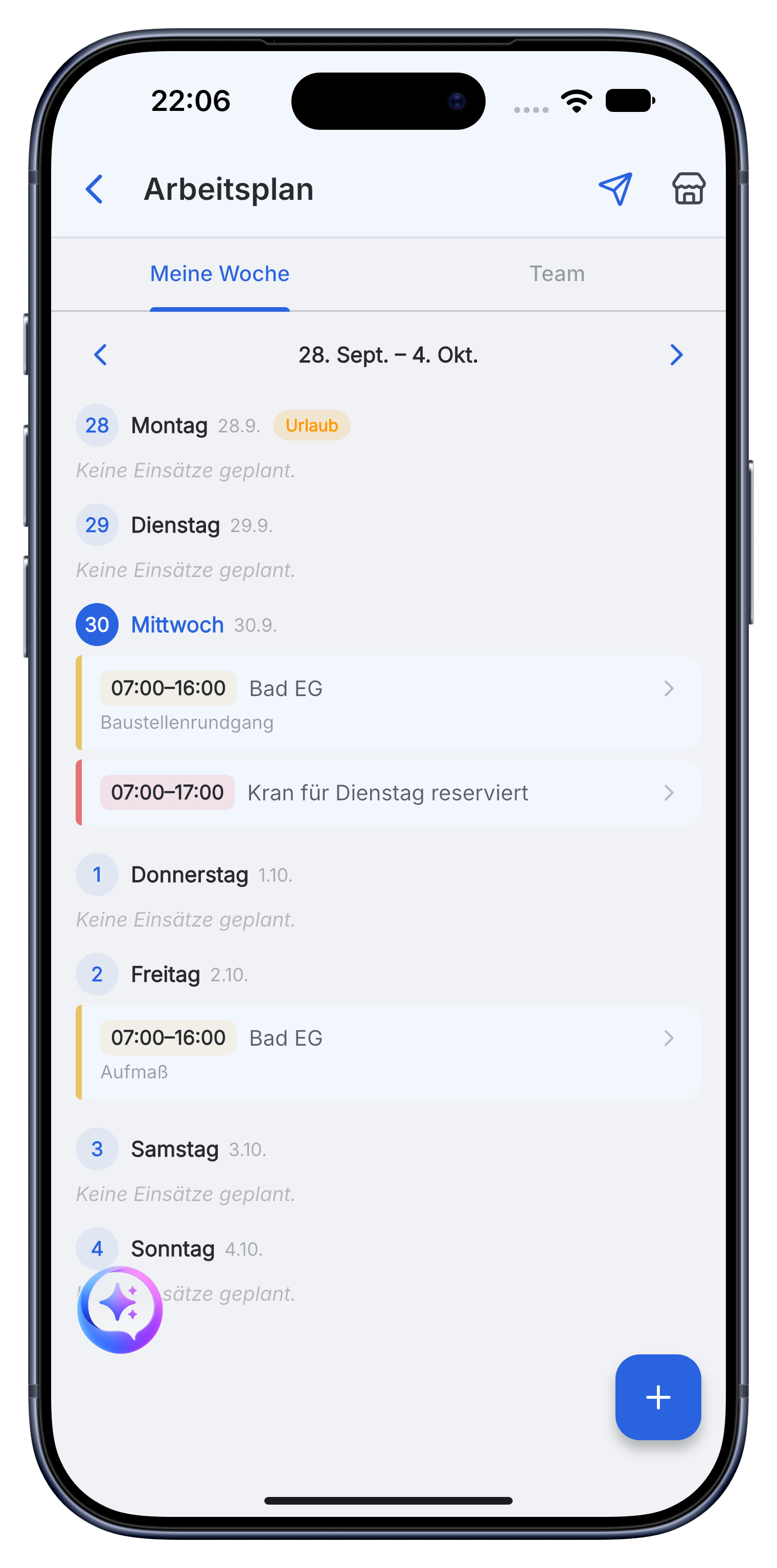
Coordinate daily work and show visible progress.
The team reports completed areas, material use, machine time and open tasks in the project. Progress photos provide a clear record for the customer.
- Use subchats for work areas, crews or construction phases.
- Record service items, material and hours as work progresses.
- Store site photos and documents with the right assignment.
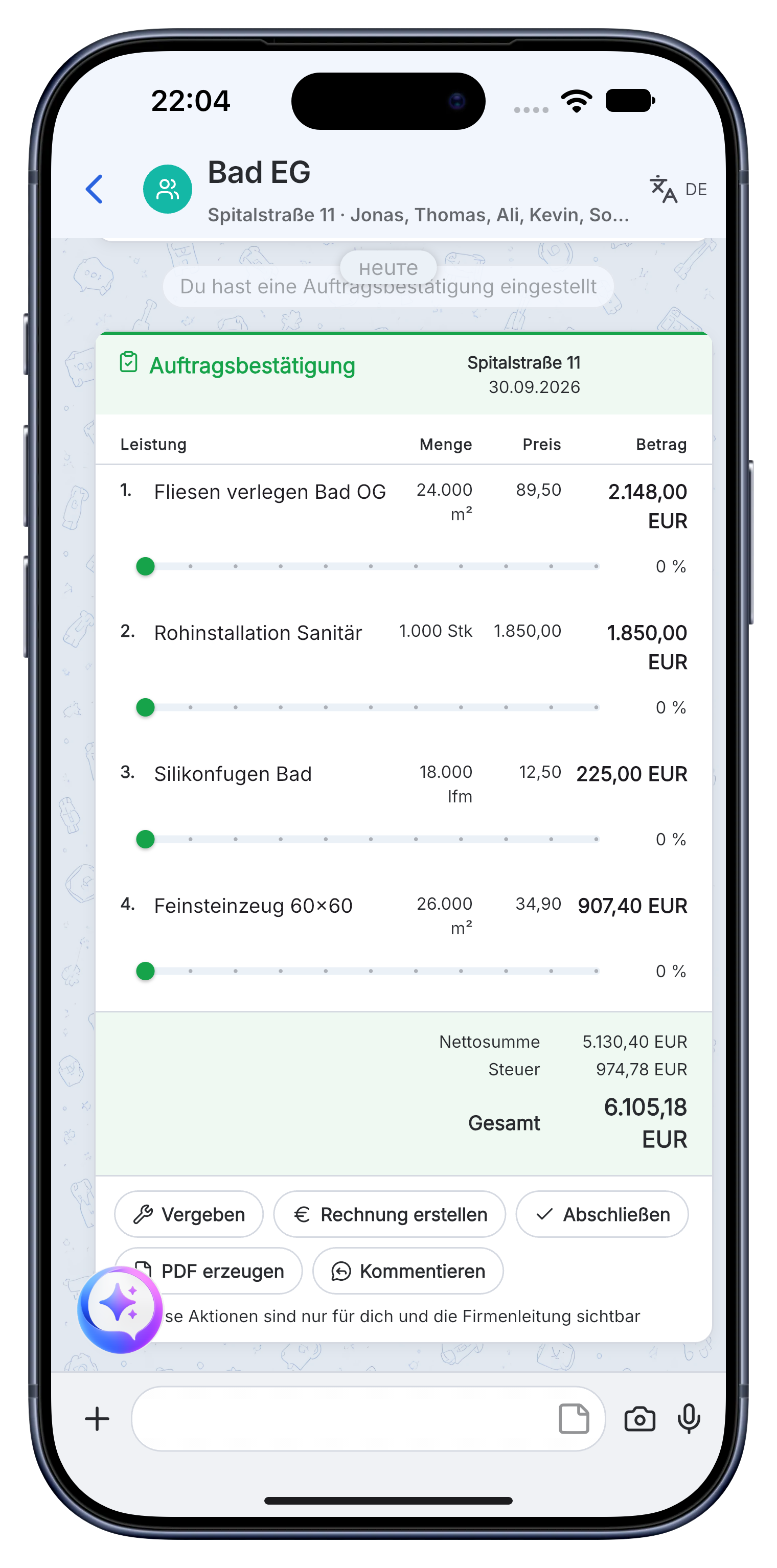
Complete handover and billing from the documented job.
Use completed service items, material and hours for the invoice. Keep acceptance notes, final photos and payment status in the project.
- Create offers and invoices with your company details and prices.
- Send the invoice as a PDF to the customer or accounting.
- See whether the invoice is open, sent or paid.
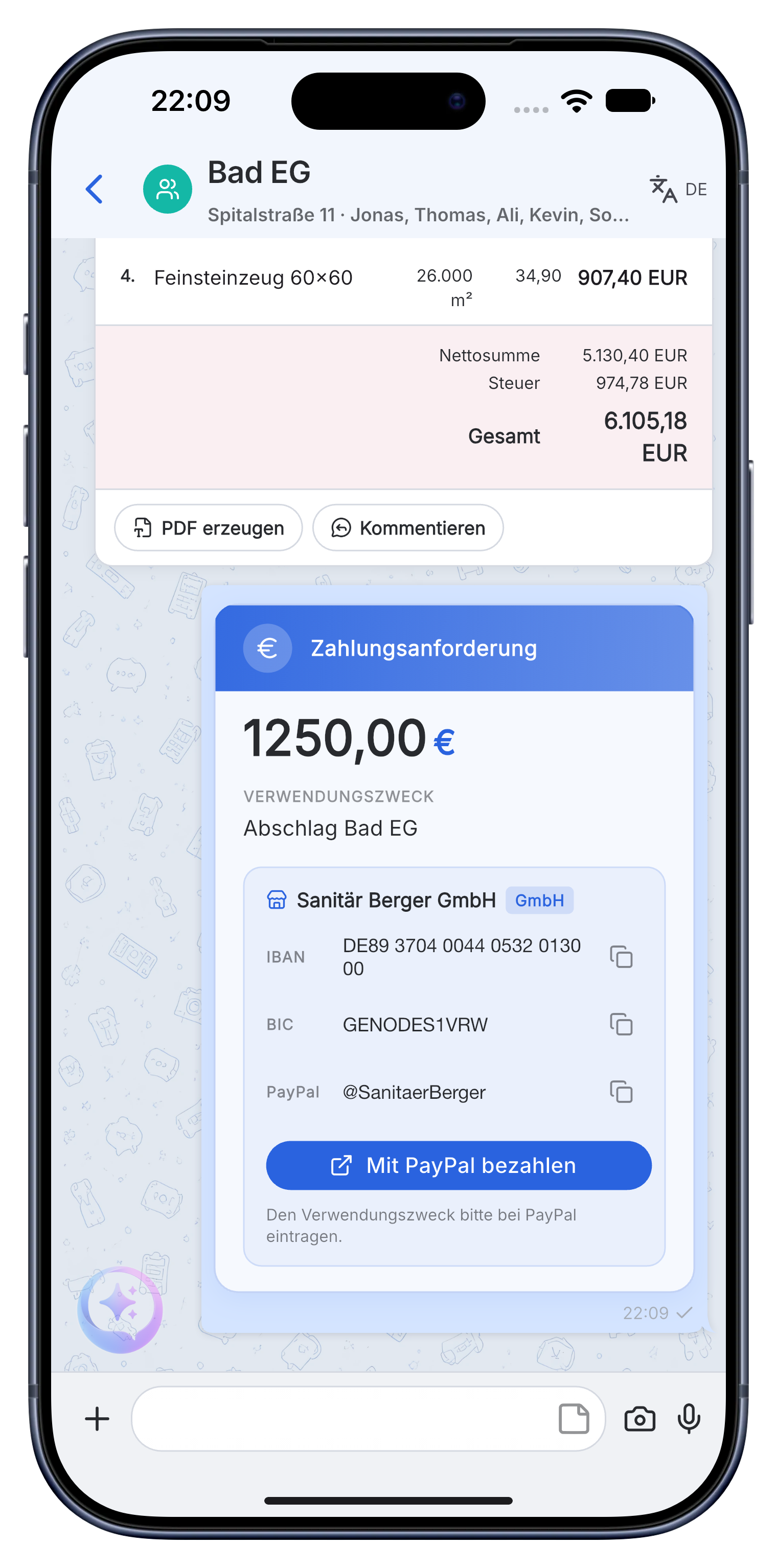
Planning, material, crews, daily assignments, progress photos, acceptance and invoice stay together from the first sketch to payment.
A practical workflow in Skava.
Frequently asked questions.
Is Skava an ERP system for landscaping businesses?
No. Skava works like a messenger. The team chats in projects and subchats, shares photos and documents, assigns tasks and follows invoices. There is no complex ERP setup.
How does a landscaping job run in Skava?
Planning, material, teams and assignments, progress, photos, acceptance, invoice and payment status all stay in one project.
What does the Skava landscaping app cost?
Chat, projects, tasks and creating invoices are free. Only when an invoice created in Skava is paid through Skava do we charge 1% of the payment amount.
Can I record planting lists and quantities?
Yes, by voice right on the site. The quantities land as line items in the project and are ready when you write the invoice, without anyone retyping them in the evening.
How do I record working hours across changing sites?
Through geofence or a button press, separated per job. With three sites in one day you know at the end of the month which hours belong to which property.
Is Skava suitable for recurring maintenance contracts?
Yes, because the project stays open. At the next visit you see what was done last time and what the customer mentioned then, without digging through a folder.
Manage the next landscaping job with Skava.
Free to get started. No credit card. Available in the App Store and on Google Play.
More: Electrician · Plumbing & heating · Painters · Roofers · App for drywall contractors