
Writing invoices as a tradesperson. By voice, not after work.
No more "I'll do that on the weekend". You speak on the construction site about what was done. Skava recognizes service items, quantities and materials and generates a finished invoice with your logo. Directly from chat, in seconds.
Prefer using a computer? Open web app. Same data, same account.
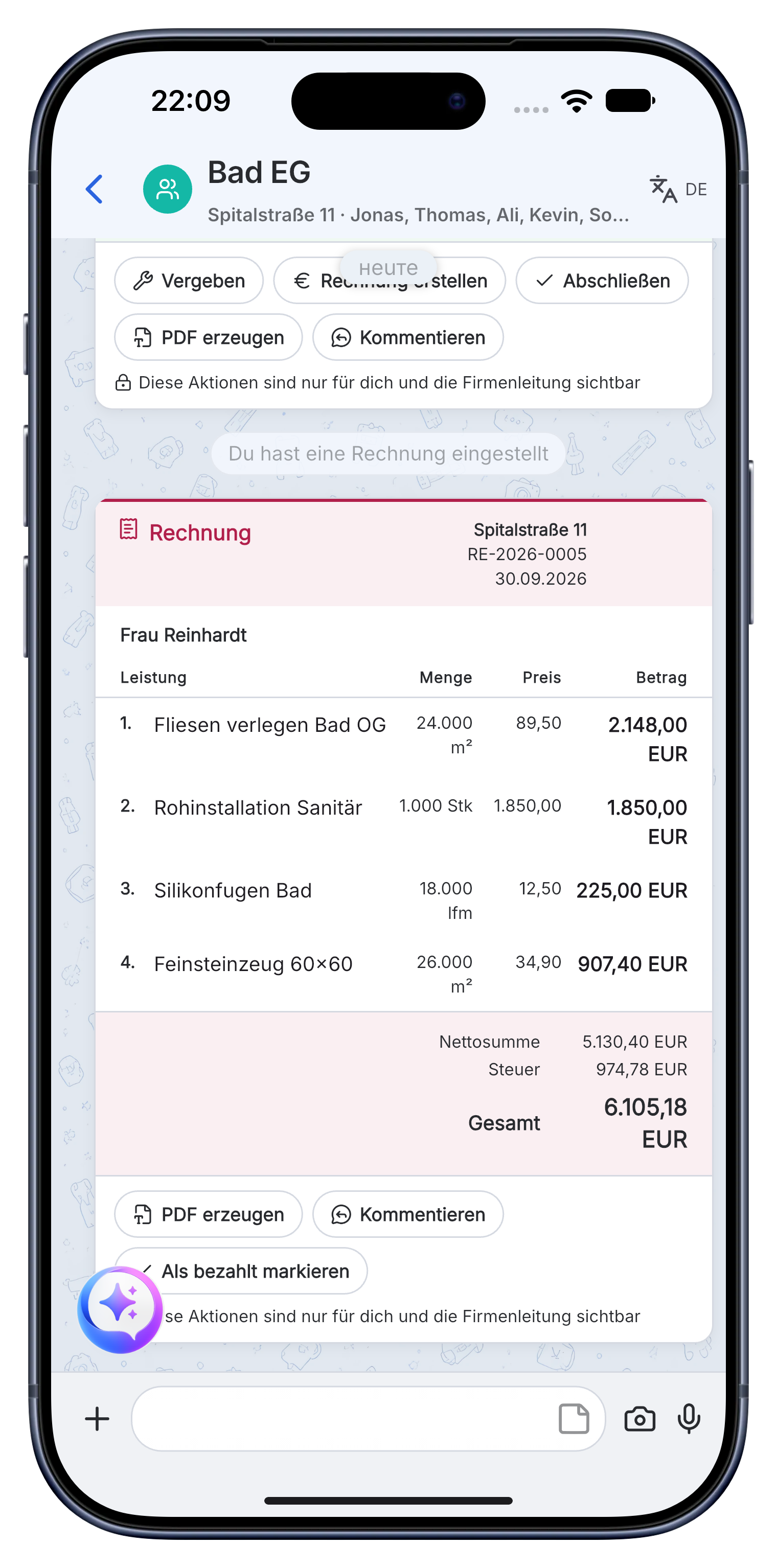
What Skava solves for writing invoices.
Not the next bloated tool. What's missing between construction site and accounting.
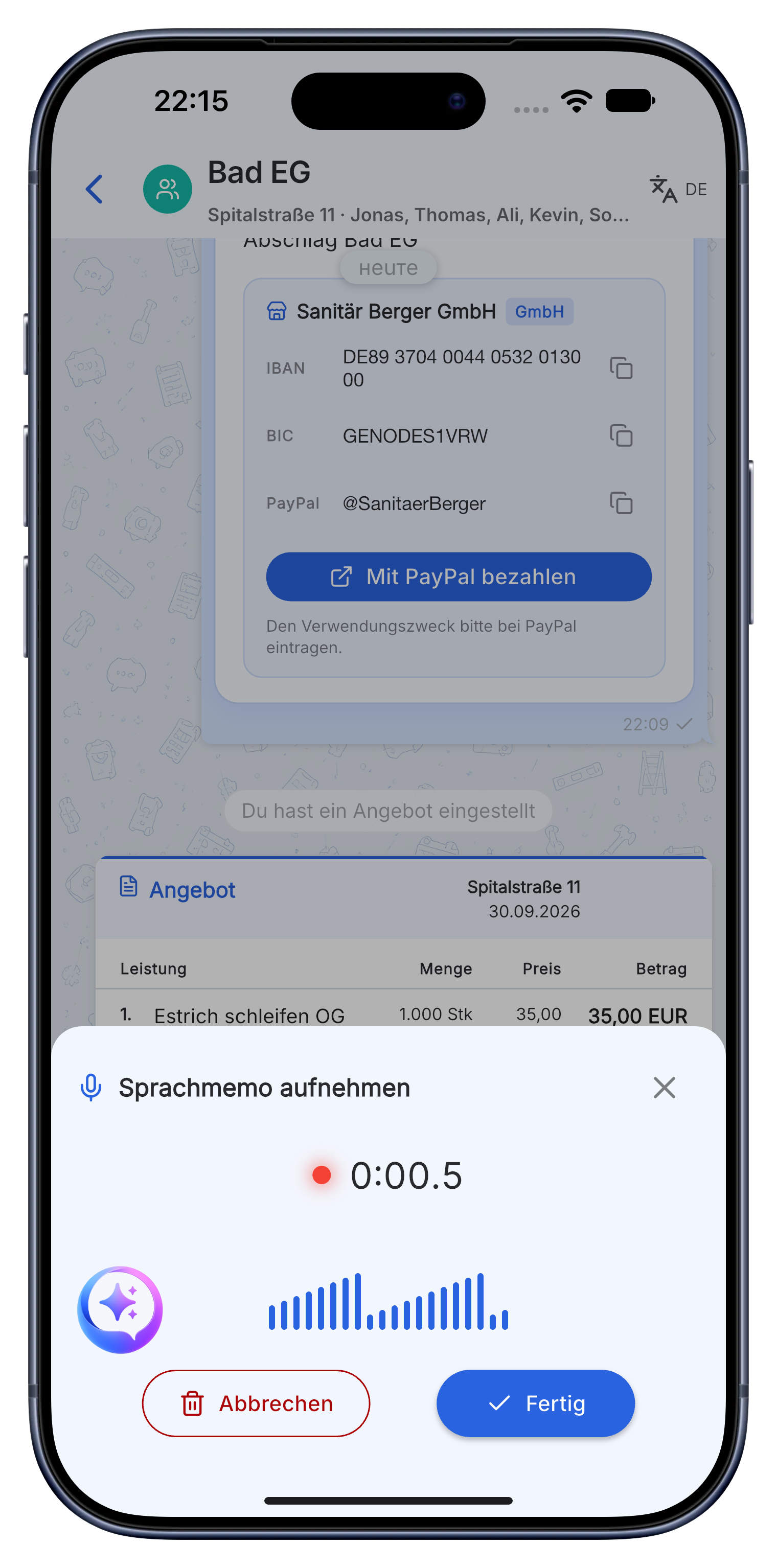
Record service items instead of collecting receipts.
You speak, Skava transcribes. It recognizes service item, quantity and material and puts everything in the right project. The basis of your invoice is created right on site.
- Recognizes quantities, units and materials automatically.
- Works for all trades and even offline.
- Automatically lands in the correct project.
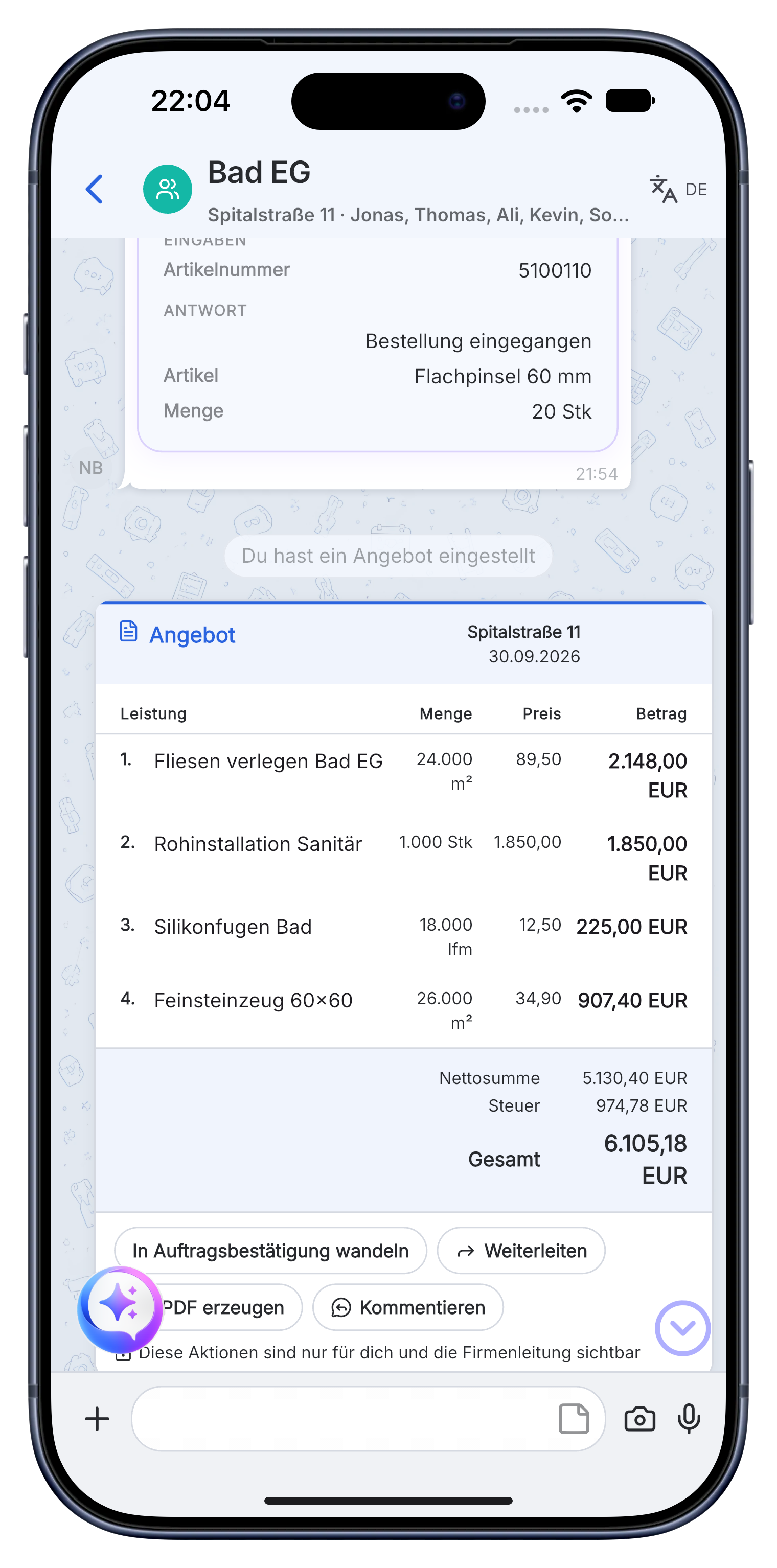
Review line items, don't retype them.
Skava suggests finished invoice line items. You review and correct instead of typing everything by hand.
- Suggested line items with quantity, unit and price.
- Accept or reject individual service items.
- Labor and materials recorded separately.
Invoice in seconds, with your logo.
One click turns the reviewed line items into a finished invoice. With your logo, company data and the correct VAT, as a PDF for the customer or your accountant.
- Your company logo, details, VAT logic.
- Export the invoice as a PDF, for the customer or your accountant.
- Also quotes and order confirmations.
"Sunday evening two hours of paperwork, that was the thing I hated most. With Skava that's just gone."
Site manager, from beta
Frequently asked questions: writing invoices.
How can I write invoices faster as a tradesperson?
With Skava you record your service items directly on the construction site. The app recognizes labor and materials and generates a finished invoice with your logo. You don't need to type anything.
Do I need separate invoicing software for this?
No. Chat, line items, tasks and invoicing are in one app. You pass the finished invoice to your accountant as a PDF.
How much does the app cost for writing invoices?
Chat, projects, tasks and creating invoices are free. Only when an invoice created in Skava is paid through Skava do we charge 1% of the payment amount.
What details are mandatory on a trade invoice in Germany?
Full name and address of both parties, tax number or VAT ID, invoice date, sequential number, description of the work, date of performance, amount and tax rate. Skava pre-fills these from your company data and the documented work.
Can I turn a voice memo into an invoice?
Yes, that is the main path. You dictate on site what was done and get line items with quantities and materials, which you review before sending.
Can I see which invoices are still open?
Yes, the payment status sits in the same project as the work. You do not have to jump between accounting and job history to see who has not paid yet.
Download the app. Write your first invoice by voice.
Free access. No credit card. No sales calls.
More: Electricians · Painters · Plumbing & HVAC · Roofers · Landscaping